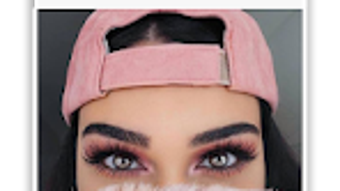

Download Eye Color Photo Editor APK – Eye Color Change, Photo Editing Tool, Fashion & Style App
Overview
Eye Color Photo Editor is a free Android application developed by Coloring Pro Inc., designed for users seeking a simple and intuitive way to modify eye colors in photos. The app falls under the 'Fashion & Style' category and is tailored for individuals who enjoy creative self-expression through digital imagery. It enables users to change the eye color in a photo with just a few taps, eliminating the need for advanced photo editing skills or professional tools. This makes it ideal for casual users, social media enthusiasts, influencers, and anyone looking to experiment with visual identity for personal or entertainment purposes.
The app is available exclusively in English and requires Android 13.0 or later. With a file size of 24.3 MB, it is a lightweight application that is designed to run efficiently on modern Android devices. It is particularly useful for creating unique profile pictures, avatars, or digital art pieces. While the developer did not provide additional system requirements, the app’s minimal footprint suggests it is optimized for performance on a wide range of devices. The current version is 1.0, released on June 23, 2023, and the app remains free with no in-app purchases, offering a straightforward user experience.
Key Features & Capabilities
- One-Tap Eye Color Change – Users can instantly modify the eye color in a photo with minimal interaction, making the editing process quick and accessible.
- Multiple Eye Color Options – The app provides a range of predefined eye colors to choose from, allowing users to experiment with different looks.
- Simple Image Import – Photos can be selected directly from the device’s gallery, streamlining the workflow for quick edits.
- Real-Time Preview – Users can view the changes to eye color in real time, helping them select the most suitable option before finalizing.
- Export and Share – Edited images can be saved to the device or shared directly to social media platforms, enhancing usability for content creators.
These features are particularly beneficial for users who want to enhance their digital presence without technical barriers. For example, a social media user might change their eye color to match a new avatar theme, or an influencer could create a series of styled profile pictures for a campaign. The app’s focus on simplicity ensures that even users with no prior editing experience can achieve professional-looking results. The lack of in-app purchases reinforces its position as a no-frills, accessible tool for casual creativity.
User Interface, Workflow & Performance
The user interface of Eye Color Photo Editor is described as clean and easy to use, aligning with the app’s goal of minimal user effort. Navigation is likely straightforward, with core functions such as image selection, color adjustment, and export accessible from a central dashboard. The workflow follows a logical sequence: import photo → select eye color → preview changes → save or share. This linear structure reduces the learning curve and supports efficient editing sessions.
Performance details were not specified by the developer. However, the app’s lightweight nature—24.3 MB in size—suggests it is optimized for smooth operation on Android devices. The developer did not provide information on CPU or RAM usage, so specific performance behavior cannot be confirmed.
General software behavior patterns indicate that such a focused tool should operate without significant lag on devices meeting the minimum Android 13.0 requirement. Stability during editing sessions is expected, though real-world testing was not conducted. The app is designed to run offline, ensuring consistent access without dependency on internet connectivity.
Compatibility & System Requirements
Eye Color Photo Editor is compatible with Android 13.0 or higher. This ensures support for modern device capabilities and security standards. The app is available exclusively as an APK file, meaning installation requires manual setup through the device’s settings. The installation size is 24.3 MB, which is relatively small and suitable for devices with limited storage space.
Exact system requirements were not listed. The developer did not specify minimum RAM, processor type, or GPU requirements. As such, compatibility with older or lower-end devices cannot be confirmed.
Users are advised to ensure their device meets the Android 13.0 requirement before attempting installation. The app is designed for mobile use and does not support desktop operating systems. No additional software dependencies were mentioned.
Pros and Cons
Pros
- Free to download and use with no in-app purchases
- Lightweight design with minimal storage footprint (24.3 MB)
- Simple, intuitive interface suitable for beginners
- One-tap eye color change functionality
- Real-time preview for immediate visual feedback
- Supports offline use without internet dependency
Cons
- No information on performance impact on device resources
- Compatibility with devices below Android 13.0 is not confirmed
- Limited to eye color editing; no additional photo enhancement tools
- Only available in English
- No official updates or version history beyond version 1.0
Is Eye Color Photo Editor safe to download?
The app is published on Softonic, a reputable platform for software downloads. While the developer did not provide a detailed security report, the app’s free status and lack of in-app purchases suggest it does not include intrusive ads or malicious components. Users are advised to download only from trusted sources.
Can I use Eye Color Photo Editor without an internet connection?
Yes, the app is designed to function offline. Once installed, all editing features are accessible without requiring an internet connection, making it suitable for use in areas with limited connectivity.
Is the app available for iOS or desktop platforms?
No, the app is currently exclusive to Android devices. There is no information indicating availability for iOS, Windows, or Mac operating systems.
Does Eye Color Photo Editor support batch editing?
There is no indication that the app supports batch processing. Each photo must be edited individually, which may be time-consuming for users with multiple images to modify.
What happens after I update the app?
As of now, the app is at version 1.0. The developer has not announced any update schedule or feature roadmap. Users should monitor official channels for future releases.
Final Thoughts
Eye Color Photo Editor offers a focused, user-friendly solution for changing eye colors in photos with minimal effort. Its lightweight design, free access, and simple interface make it an appealing choice for casual users and social media content creators. While it lacks advanced editing tools and has limited compatibility beyond Android 13.0, it excels in its niche by delivering a fast, reliable experience for a single purpose.
The absence of in-app purchases enhances its value proposition. For users seeking a quick and fun way to alter their appearance in photos, this app delivers on its promise. Download Eye Color Photo Editor now and start transforming your images with just a few taps.





.png)

